🐈 **nanobot** is an **ultra-lightweight** personal AI assistant inspired by [Clawdbot](https://github.com/openclaw/openclaw)
⚡️ Delivers core agent functionality in just **~4,000** lines of code — **99% smaller** than Clawdbot's 430k+ lines.
## 📢 News
- **2026-02-01** 🎉 nanobot launched! Welcome to try 🐈 nanobot!
## Key Features of nanobot:
🪶 **Ultra-Lightweight**: Just ~4,000 lines of code — 99% smaller than Clawdbot - core functionality.
🔬 **Research-Ready**: Clean, readable code that's easy to understand, modify, and extend for research.
⚡️ **Lightning Fast**: Minimal footprint means faster startup, lower resource usage, and quicker iterations.
💎 **Easy-to-Use**: One-click to depoly and you're ready to go.
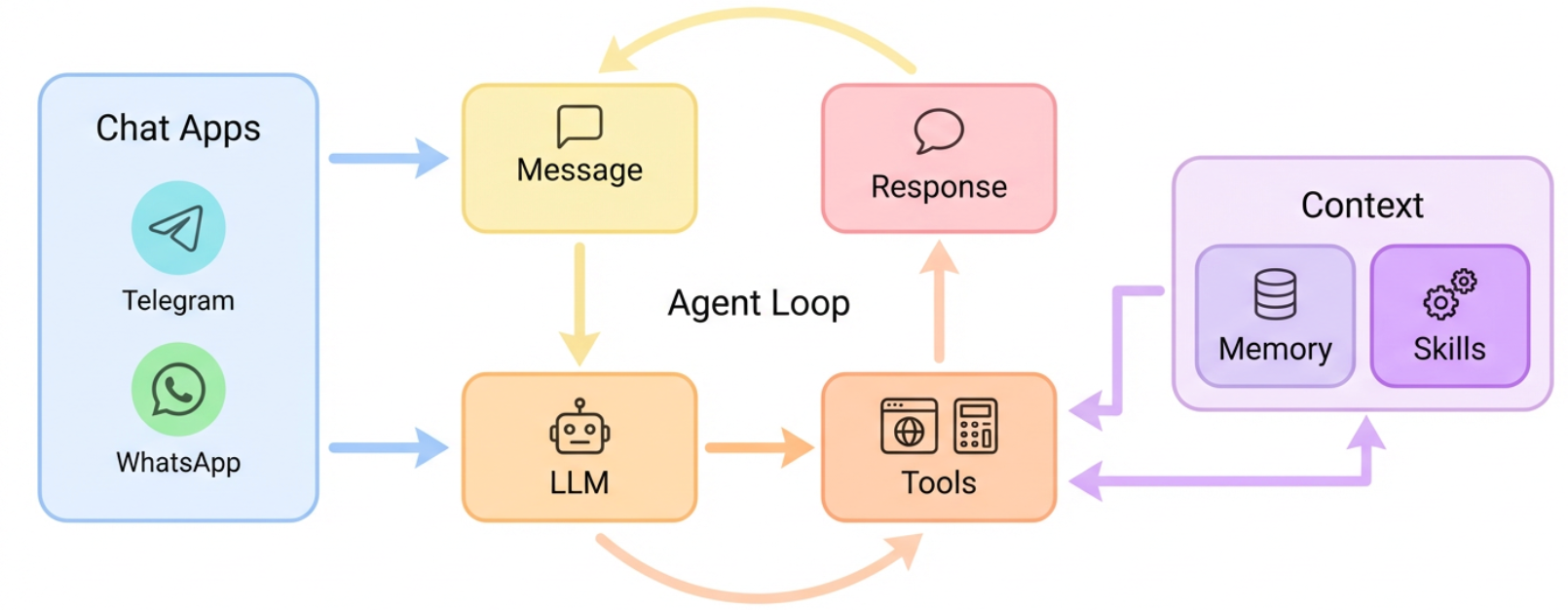
## 🏗️ Architecture
## ✨ Features
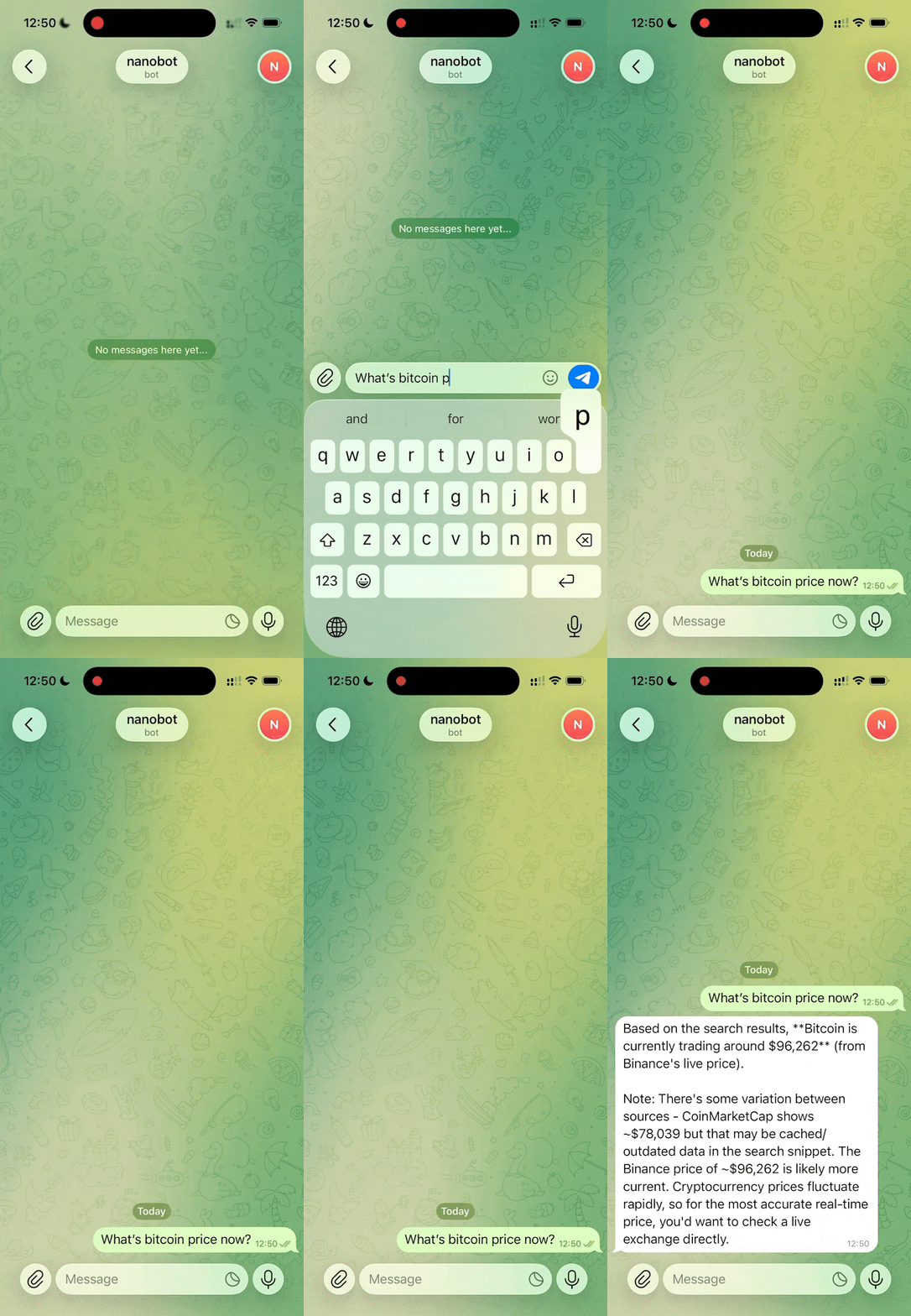
📈 24/7 Real-Time Market Analysis |
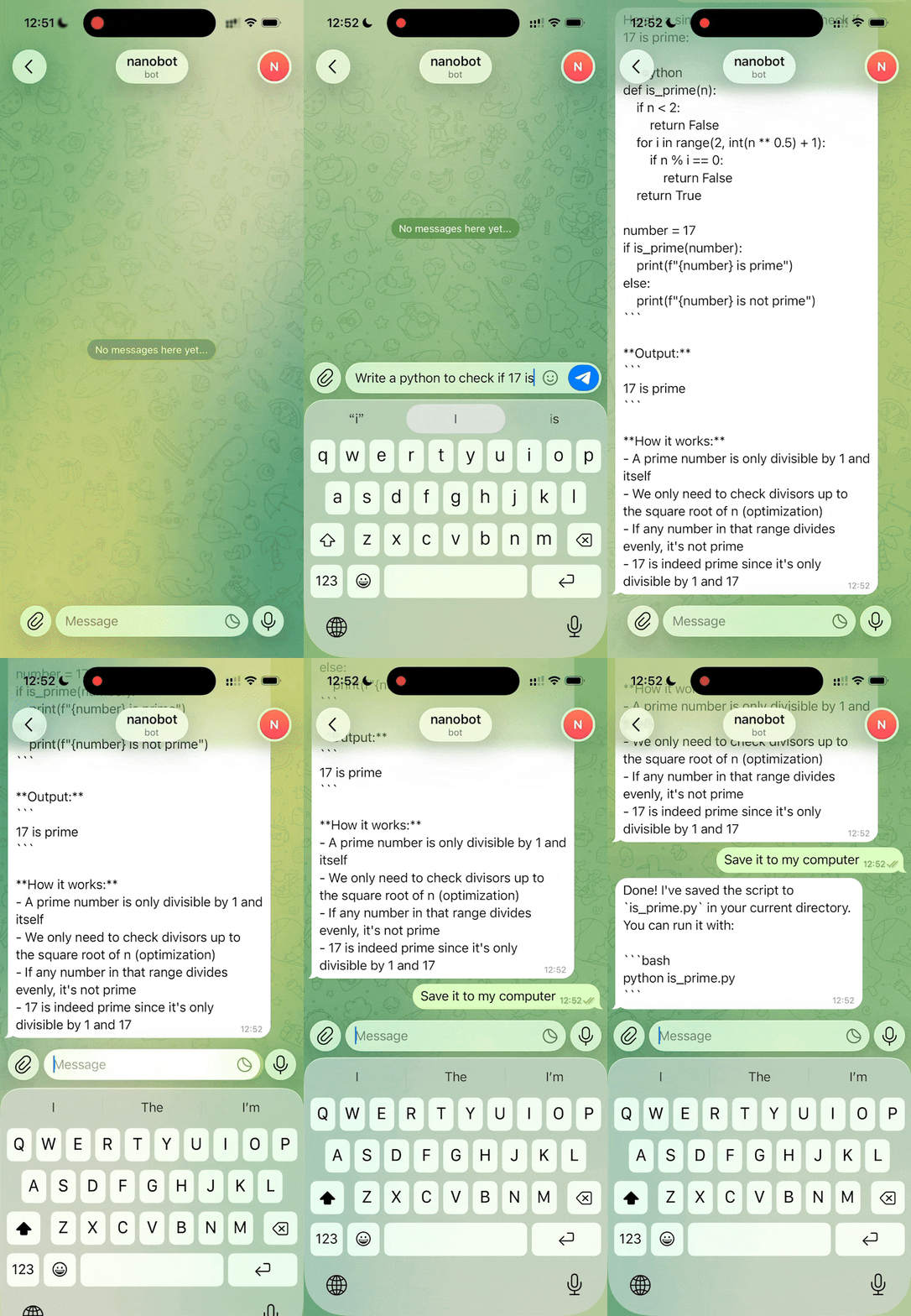
🚀 Full-Stack Software Engineer |
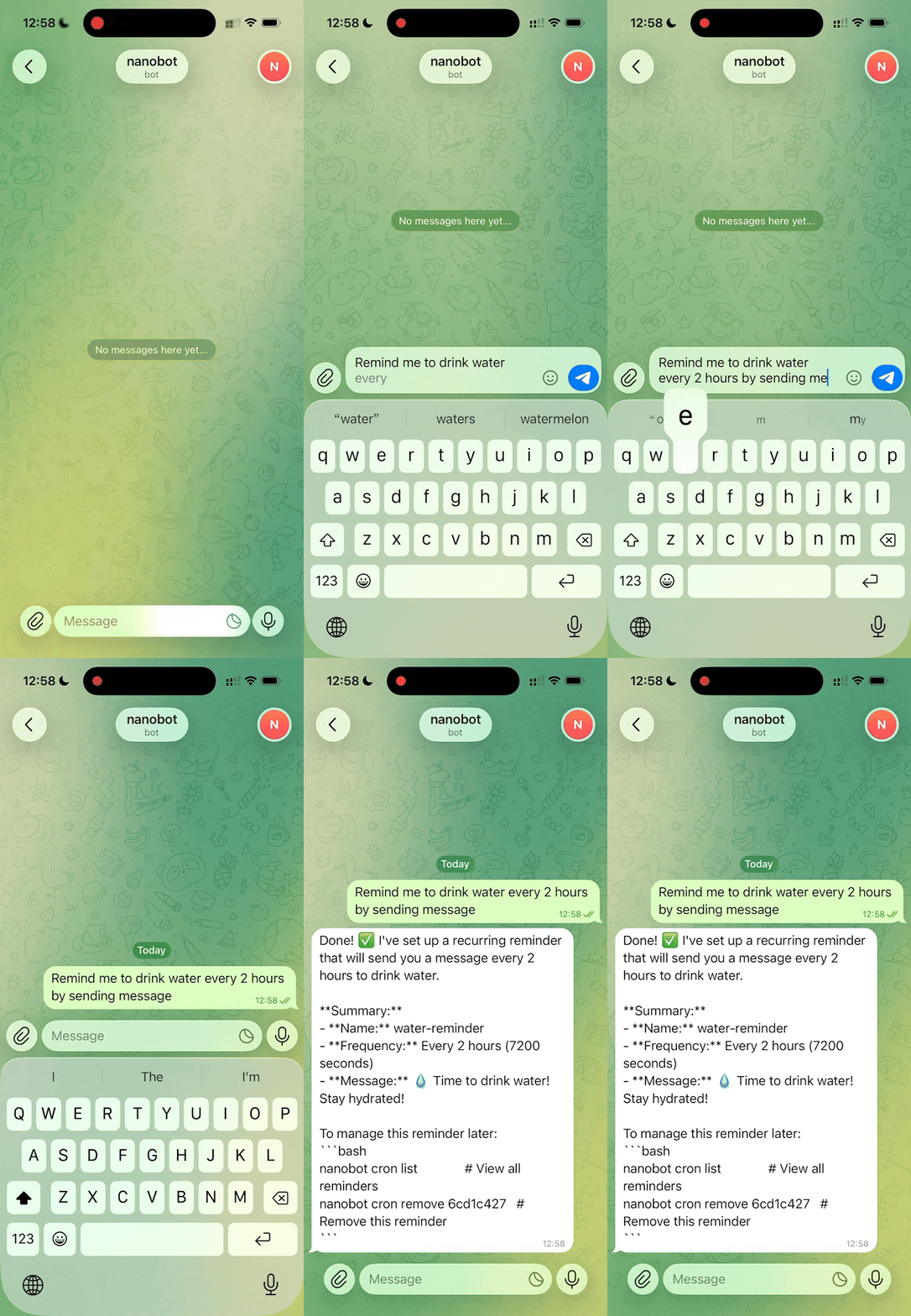
📅 Smart Daily Routine Manager |
📚 Personal Knowledge Assistant |
|
|
|
|
| Discovery • Insights • Trends |
Develop • Deploy • Scale |
Schedule • Automate • Organize |
Learn • Memory • Reasoning |
## 📦 Install
**Install from source** (latest features, recommended for development)
```bash
git clone https://github.com/HKUDS/nanobot.git
cd nanobot
pip install -e .
```
**Install with [uv](https://github.com/astral-sh/uv)** (stable, fast)
```bash
uv tool install nanobot-ai
```
**Install from PyPI** (stable)
```bash
pip install nanobot-ai
```
## 🚀 Quick Start
> [!TIP]
> Set your API key in `~/.nanobot/config.json`.
> Get API keys: [OpenRouter](https://openrouter.ai/keys) (LLM) · [Brave Search](https://brave.com/search/api/) (optional, for web search)
> You can also change the model to `minimax/minimax-m2` for lower cost.
**1. Initialize**
```bash
nanobot onboard
```
**2. Configure** (`~/.nanobot/config.json`)
```json
{
"providers": {
"openrouter": {
"apiKey": "sk-or-v1-xxx"
}
},
"agents": {
"defaults": {
"model": "anthropic/claude-opus-4-5"
}
},
"tools": {
"web": {
"search": {
"apiKey": "BSA-xxx"
}
}
}
}
```
**3. Chat**
```bash
nanobot agent -m "What is 2+2?"
```
That's it! You have a working AI assistant in 2 minutes.
## 🖥️ Local Models (vLLM)
Run nanobot with your own local models using vLLM or any OpenAI-compatible server.
**1. Start your vLLM server**
```bash
vllm serve meta-llama/Llama-3.1-8B-Instruct --port 8000
```
**2. Configure** (`~/.nanobot/config.json`)
```json
{
"providers": {
"vllm": {
"apiKey": "dummy",
"apiBase": "http://localhost:8000/v1"
}
},
"agents": {
"defaults": {
"model": "meta-llama/Llama-3.1-8B-Instruct"
}
}
}
```
**3. Chat**
```bash
nanobot agent -m "Hello from my local LLM!"
```
> [!TIP]
> The `apiKey` can be any non-empty string for local servers that don't require authentication.
## 💬 Chat Apps
Talk to your nanobot through Telegram or WhatsApp — anytime, anywhere.
| Channel | Setup |
|---------|-------|
| **Telegram** | Easy (just a token) |
| **WhatsApp** | Medium (scan QR) |
Telegram (Recommended)
**1. Create a bot**
- Open Telegram, search `@BotFather`
- Send `/newbot`, follow prompts
- Copy the token
**2. Configure**
```json
{
"channels": {
"telegram": {
"enabled": true,
"token": "YOUR_BOT_TOKEN",
"allowFrom": ["YOUR_USER_ID"]
}
}
}
```
> Get your user ID from `@userinfobot` on Telegram.
**3. Run**
```bash
nanobot gateway
```
WhatsApp
Requires **Node.js ≥18**.
**1. Link device**
```bash
nanobot channels login
# Scan QR with WhatsApp → Settings → Linked Devices
```
**2. Configure**
```json
{
"channels": {
"whatsapp": {
"enabled": true,
"allowFrom": ["+1234567890"]
}
}
}
```
**3. Run** (two terminals)
```bash
# Terminal 1
nanobot channels login
# Terminal 2
nanobot gateway
```
## ⚙️ Configuration
Config file: `~/.nanobot/config.json`
### Providers
> [!NOTE]
> Groq provides free voice transcription via Whisper. If configured, Telegram voice messages will be automatically transcribed.
| Provider | Purpose | Get API Key |
|----------|---------|-------------|
| `openrouter` | LLM (recommended, access to all models) | [openrouter.ai](https://openrouter.ai) |
| `anthropic` | LLM (Claude direct) | [console.anthropic.com](https://console.anthropic.com) |
| `openai` | LLM (GPT direct) | [platform.openai.com](https://platform.openai.com) |
| `groq` | LLM + **Voice transcription** (Whisper) | [console.groq.com](https://console.groq.com) |
| `gemini` | LLM (Gemini direct) | [aistudio.google.com](https://aistudio.google.com) |
Full config example
```json
{
"agents": {
"defaults": {
"model": "anthropic/claude-opus-4-5"
}
},
"providers": {
"openrouter": {
"apiKey": "sk-or-v1-xxx"
},
"groq": {
"apiKey": "gsk_xxx"
}
},
"channels": {
"telegram": {
"enabled": true,
"token": "123456:ABC...",
"allowFrom": ["123456789"]
},
"whatsapp": {
"enabled": false
}
},
"tools": {
"web": {
"search": {
"apiKey": "BSA..."
}
}
}
}
```
## CLI Reference
| Command | Description |
|---------|-------------|
| `nanobot onboard` | Initialize config & workspace |
| `nanobot agent -m "..."` | Chat with the agent |
| `nanobot agent` | Interactive chat mode |
| `nanobot gateway` | Start the gateway |
| `nanobot status` | Show status |
| `nanobot channels login` | Link WhatsApp (scan QR) |
| `nanobot channels status` | Show channel status |
Scheduled Tasks (Cron)
```bash
# Add a job
nanobot cron add --name "daily" --message "Good morning!" --cron "0 9 * * *"
nanobot cron add --name "hourly" --message "Check status" --every 3600
# List jobs
nanobot cron list
# Remove a job
nanobot cron remove
```
## 🐳 Docker
> [!TIP]
> The `-v ~/.nanobot:/root/.nanobot` flag mounts your local config directory into the container, so your config and workspace persist across container restarts.
Build and run nanobot in a container:
```bash
# Build the image
docker build -t nanobot .
# Initialize config (first time only)
docker run -v ~/.nanobot:/root/.nanobot --rm nanobot onboard
# Edit config on host to add API keys
vim ~/.nanobot/config.json
# Run gateway (connects to Telegram/WhatsApp)
docker run -v ~/.nanobot:/root/.nanobot -p 18790:18790 nanobot gateway
# Or run a single command
docker run -v ~/.nanobot:/root/.nanobot --rm nanobot agent -m "Hello!"
docker run -v ~/.nanobot:/root/.nanobot --rm nanobot status
```
## 📁 Project Structure
```
nanobot/
├── agent/ # 🧠 Core agent logic
│ ├── loop.py # Agent loop (LLM ↔ tool execution)
│ ├── context.py # Prompt builder
│ ├── memory.py # Persistent memory
│ ├── skills.py # Skills loader
│ ├── subagent.py # Background task execution
│ └── tools/ # Built-in tools (incl. spawn)
├── skills/ # 🎯 Bundled skills (github, weather, tmux...)
├── channels/ # 📱 WhatsApp integration
├── bus/ # 🚌 Message routing
├── cron/ # ⏰ Scheduled tasks
├── heartbeat/ # 💓 Proactive wake-up
├── providers/ # 🤖 LLM providers (OpenRouter, etc.)
├── session/ # 💬 Conversation sessions
├── config/ # ⚙️ Configuration
└── cli/ # 🖥️ Commands
```
## 🤝 Contribute & Roadmap
PRs welcome! The codebase is intentionally small and readable. 🤗
**Roadmap** — Pick an item and [open a PR](https://github.com/HKUDS/nanobot/pulls)!
- [x] **Voice Transcription** — Support for Groq Whisper (Issue #13)
- [ ] **Multi-modal** — See and hear (images, voice, video)
- [ ] **Long-term memory** — Never forget important context
- [ ] **Better reasoning** — Multi-step planning and reflection
- [ ] **More integrations** — Discord, Slack, email, calendar
- [ ] **Self-improvement** — Learn from feedback and mistakes
### Contributors
 ## ⭐ Star History
Thanks for visiting ✨ nanobot!

nanobot is for educational, research, and technical exchange purposes only





